A Better Notion Raycast Extension for Fast Page Creation
Raycast is one of the fastest ways to open apps, run commands, and add pages to Notion from your Mac. Its Notion extension is useful, especially if you already use Raycast for everything else.
But if Notion is where you capture tasks, ideas, meeting notes, and projects all day, you may want something more focused. Raycast gives you a Notion command inside a general-purpose launcher. Quick Add is built around the Notion workflow itself.
That makes Quick Add a better Notion Raycast extension alternative for people who want to search and create pages without slowing down to fill out forms or navigate through their workspace.
What the Notion Raycast extension does well
Raycast is a good choice when you want one launcher for many tools. After installing the Notion extension and connecting your Notion account, you can use Raycast to:
- Search for Notion pages.
- Append content to an existing page.
- Append content from a URL.
- Create a page in a Notion database.
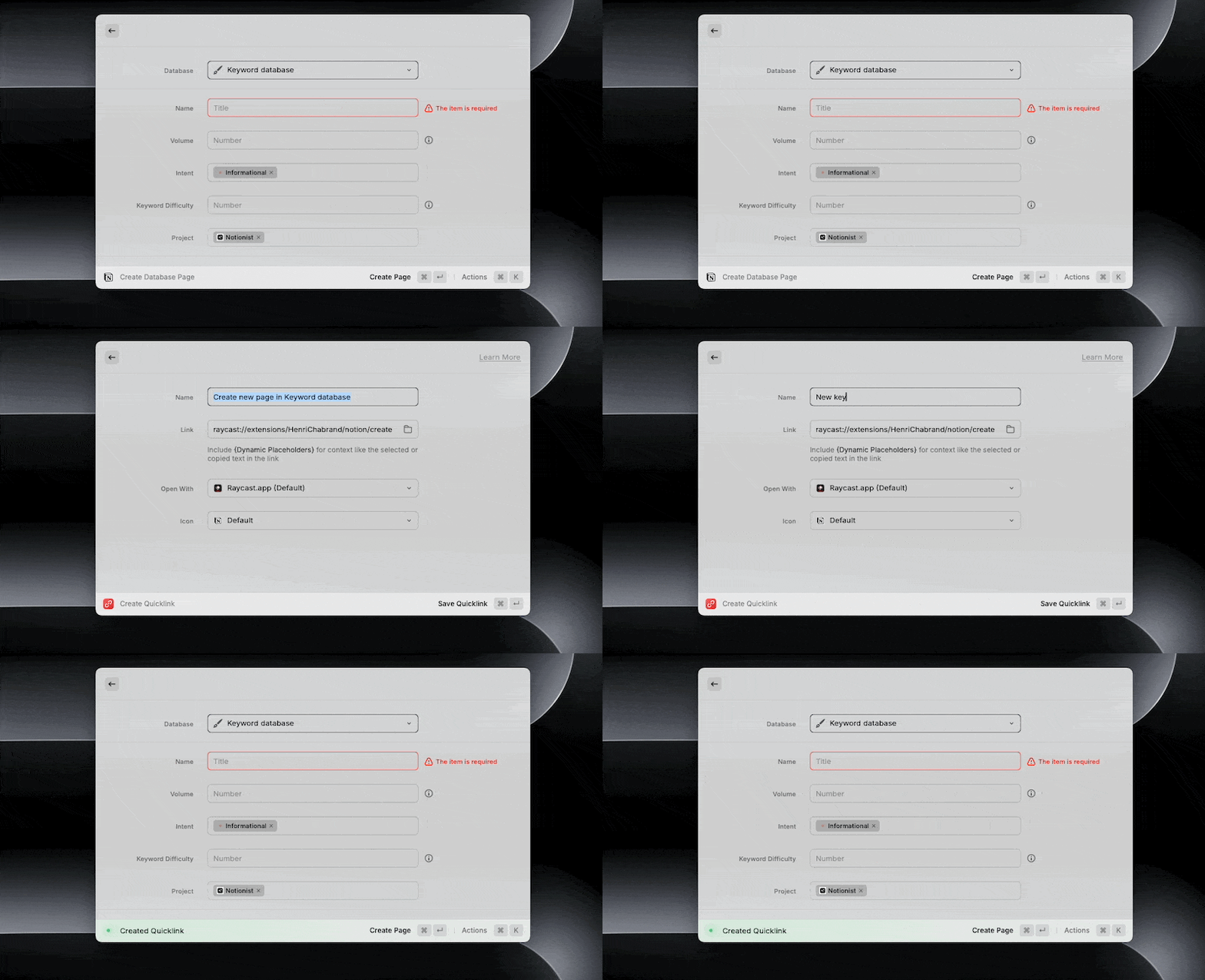
The database command is particularly useful. You can choose a database, fill in properties, and save a new page without opening the Notion app.
Raycast also lets you save a configured command as a Quicklink. This works well for repeatable page types, such as a daily journal entry or a simple task template.
If you already live in Raycast and only create a few kinds of Notion pages, the official extension may be all you need.
Where Raycast starts to feel limiting
The problem appears when your Notion setup has several databases, properties, and destinations. A generic command launcher is not always the fastest place to manage a detailed Notion workflow.
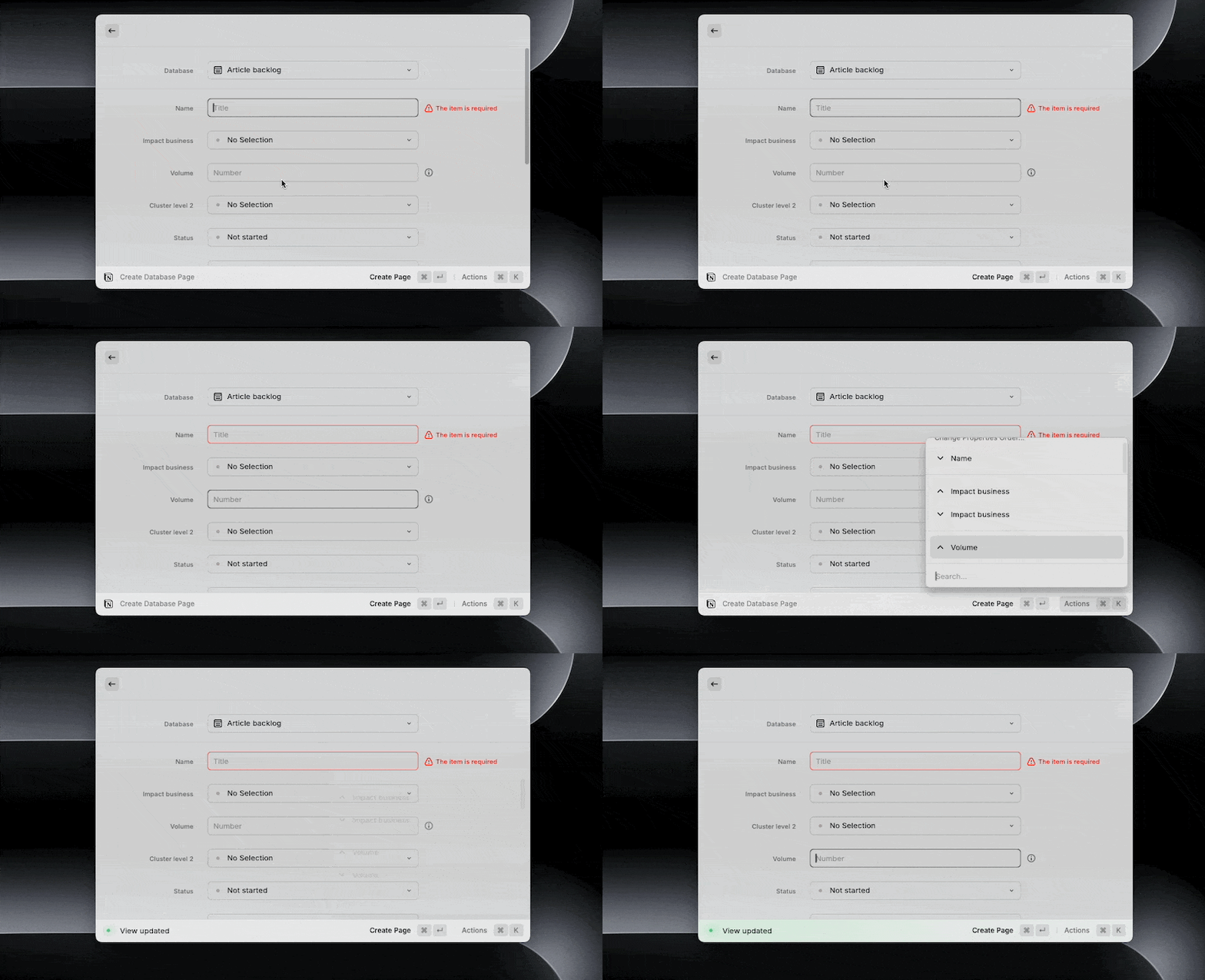
You still work through a property form
Creating a database page in Raycast means moving through the available properties and configuring the command. That is fine for a template you use every day. It becomes slower when every page needs a slightly different combination of tags, dates, or people.

Templates need maintenance
Raycast Quicklinks are useful, but each one represents a preconfigured command. If your databases change, or you want a different default property, you may need to edit several Quicklinks.
Search and creation are separate commands
Raycast gives you separate Notion actions for searching and creating. That makes sense for a general launcher, but it adds a little friction when your workflow moves between finding a page and adding something new.
It is still a general-purpose launcher
Raycast has to serve your whole Mac. Its Notion support is one part of a much larger product. That breadth is the reason to use it, but it also means the Notion experience is not designed around the small details of Notion page creation.
Quick Add is a better Notion Raycast extension alternative
Quick Add is a macOS app for people who want a faster way to search, open, and create Notion pages. You trigger it with a global keyboard shortcut, even when Notion is closed or you are working in another app.
Instead of opening a database form, you type one line and use a few simple commands to describe where the page should go and which properties it should have.
For example:
Plan next launch >Projects #In progress @Friday
The text becomes a new Notion page in the Projects database, with the status and date assigned from the same input. You can keep typing instead of switching between fields.
Search your workspace from anywhere
Use the global shortcut to search your Notion workspace without opening Notion first. Once you find the page, open it and return to your work.
This is useful when you remember the page you need but not where it lives. You do not have to browse through the sidebar or interrupt the app you are using.
Choose a database with >
The > command lets you select the destination for a new page. Start typing the name of a database, choose it, and continue with the page title.
This is quicker than opening Notion, finding the database, and pressing the new-page button when you already know what you want to capture.
Add properties with # and @
Quick Add uses short commands for common Notion properties. Use # for tags or select values, and @ for people or dates.
That gives you a single input for the content and the structure around it. A task can include its project, status, and due date before it reaches Notion.
Keep the flow keyboard-first
Quick Add is designed for the moment when an idea appears and you want to save it before it disappears. The app stays small, the shortcut is global, and the interaction stays in one place.
Quick Add vs. the Notion Raycast extension
Here is the practical difference:
| Workflow | Notion Raycast extension | Quick Add |
|---|---|---|
| Search Notion pages | Yes, through a Raycast command | Yes, from the global Quick Add shortcut |
| Create database pages | Yes | Yes |
| Use a global shortcut | Yes, through Raycast | Yes, built into the app |
| Add properties inline | Through the command form | With # and @ syntax |
| Choose a database inline | Through the command flow | With > syntax |
| Main focus | A launcher for many Mac actions | Fast Notion capture and search |
| Platform | macOS | macOS |
Raycast is better if you want one app launcher for Notion, files, scripts, and other tools. Quick Add is better if your main requirement is fast Notion page creation with less navigation.
Which tool should you choose?
Choose the Notion Raycast extension if:
- You already use Raycast as your main Mac launcher.
- You mostly search pages or create a small number of repeatable templates.
- You want Notion actions alongside commands for other apps.
Choose Quick Add if:
- You create pages in several Notion databases.
- You often need to set tags, statuses, people, or dates while capturing an idea.
- You want one global shortcut dedicated to Notion.
- You prefer typing a command over filling out a property form.
There is no reason to treat Raycast as a bad tool. It is a strong launcher. The question is whether you want Notion to be one command among many or the center of the capture experience.
How to get started with Quick Add
Quick Add is a one-time purchase for macOS, with updates included. Once installed, connect your Notion workspace and choose a keyboard shortcut. You can then search for pages or create a new one from anywhere on your Mac.
If you are still deciding, start with our guide to quickly add pages to Notion. It compares Notion shortcuts, Apple Shortcuts, Raycast, and Quick Add in more detail.
Tired of slow Notion page creation?
Quick Add lets you create pages instantly with a global hotkey.
For many Notion users, the best Raycast extension is the one that removes the most work from page creation. Raycast is a good general launcher. Quick Add goes further when you want to capture ideas, create database pages, and set properties in one fast keyboard-first flow.
Want to supercharge your productivity?
Unlock the full potential of Notion & Obsidian with our plugins.
