
Best Alternatives to Readwise for Notion and Obsidian
Updated for 2026: pricing and product details were checked against the official product pages on July 29, 2026.
Why knowledge workers are looking for alternatives to Readwise
The limitations of passive highlighting and the cost factor
Readwise pulls highlights from more than thirty platforms, including Kindle, Instapaper, Pocket, iBooks, and even physical books via OCR. It resurfaces those snippets by email to help you revisit useful passages. This core feature prevents valuable passages from slipping away.
However, this workflow remains fundamentally passive. It excels at resurfacing other people’s words, but not your responses to them. Users often accumulate large stores of saved highlights that rarely transform into new ideas or maintained notes.
Price also factors in. Users praise Readwise’s support and newsletters. Yet, the current price is $9.99/month when billed annually or $12.99/month when billed monthly, which can still spark complaints from people experiencing subscription fatigue.
The difference between retaining consumption and developing original thought
Readwise helps people retain what they have read by preserving quotes or statistics so they don’t fade from memory. This support is valuable for professionals, academics, and creators who rely on other people’s ideas.
Building a personal knowledge system is a different challenge. Highlighted passages form just the first layer. For users who synthesize, remix, and build the missing piece is tools that surface and connect what they have created. Readwise reminds you what an author said but doesn’t show your syntheses, meeting notes, or links between ideas.
Understanding the need for personal knowledge reinforcement over simple flashcards
There is a gap between recalling fragments and developing deeper understanding. Bite-sized highlights support recall, but they rarely encourage synthesis or original insight. Highlight-driven workflows fragment context and remove the narrative, nuance, and connections that give ideas traction.
As this gap results in lost ideas and stagnant archives, alternatives arise. These tools shift the goal from “How do I never forget what I’ve read?” to “How do I develop, connect, and expand what I’ve created?” Tools like Daily Brain Bits help move users beyond passive retention into active reinforcement and synthesis. They assist Notion and Obsidian users in transforming static archives into living systems that reflect their own voice, not just the books they have read.
The three categories of spaced repetition tools
Spaced repetition tools fall into three categories:
- Apps like Anki emphasize deliberate memorization of static facts through flashcards, excelling in retention but struggling with evolving ideas.
- Tools like Readwise focus on resurfacing highlights from reading materials without user effort, aiding recall of others' content but ignoring personal notes.
- Solutions, such as Daily Brain Bits, reinforce your own ideas from Notion or Obsidian vaults by scheduling reviews of full notes, fostering evolution and synthesis for knowledge workers building a "second brain."
1. Daily brain bits: the best alternative to Readwise for Notion and Obsidian users
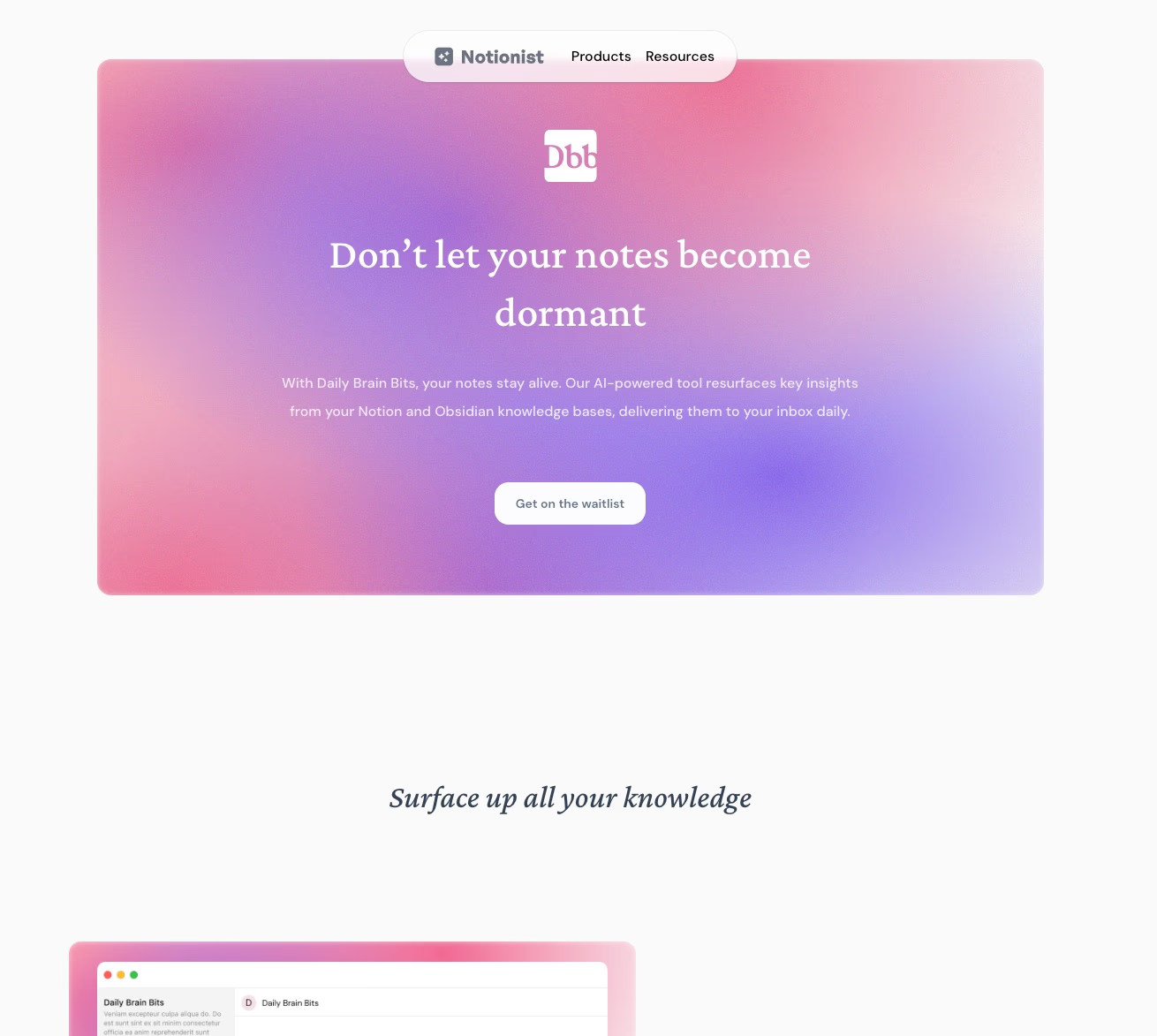
Daily Brain Bits is a spaced repetition app for Notion and Obsidian that keeps your personal knowledge base alive. It automatically resurfaces your own notes, without forcing you to create flashcards or manually tag anything.
Solving the knowledge worker's paradox by resurfacing created content
Notes pile up, but their value often does not. While Readwise excels at surfacing highlights from books and articles, it does not bring back your own ideas—such as research notes, meeting sketches, or draft fragments.
Daily Brain Bits fills this gap by periodically resurfacing personal notes, keeping your own material visible instead of fading into obscurity.
Regular emails that keep your knowledge alive
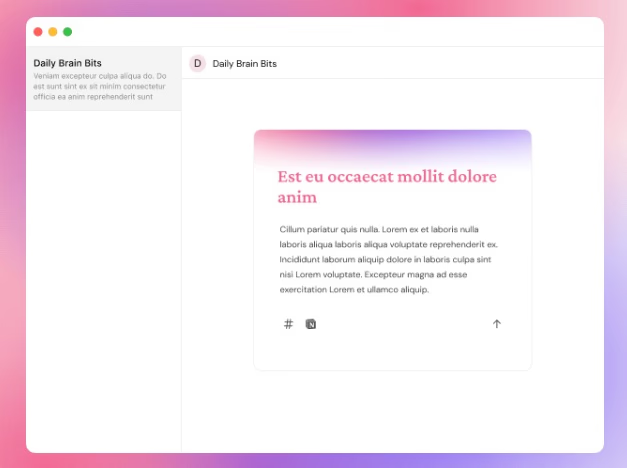
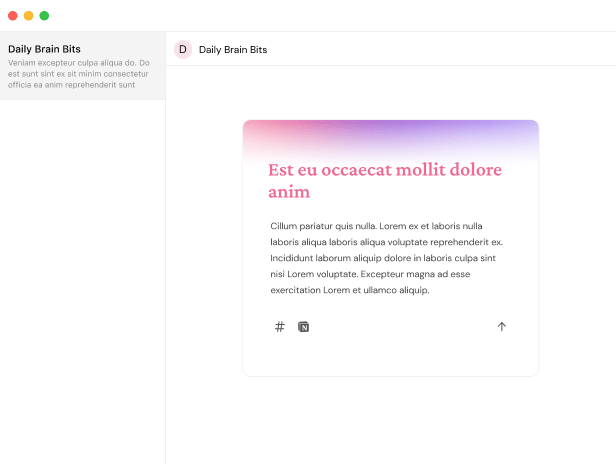
Daily Brain Bits sends you carefully timed emails that resurface your notes when your brain needs them most. Rather than relying on fragmented highlights or isolated flashcards, you receive complete notes with full context.
Leveraging AI for quizzes and connections
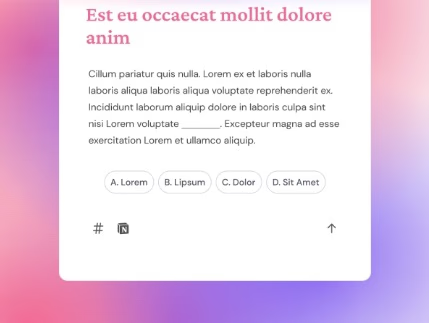
Instead of requiring you to build flashcards, DBB automatically prioritizes notes and adds AI-generated multiple-choice quizzes that hide key concepts for quick recall.
It prioritizes notes based on your archive. Everything is ready to use immediately, without deck-building, tagging, or manual setup.
Connecting directly to your knowledge base
DBB integrates with Notion and Obsidian (for now 🙃) to pull content directly from your personal archive. Rather than letting your database sit idle, DBB schedules notes into an active review loop so they get reshaped, connected, and reused over time.
Pricing and customization
DBB offers a $10/month Pro plan that unlocks advanced AI features and customizable review flows. Compared to Readwise’s $9.99/month annual price or $12.99/month monthly price, DBB targets knowledge creators who prioritize maintaining and developing their own ideas instead of just revisiting authors’ highlights.
Best for / use cases
Daily Brain Bits suits knowledge workers, researchers, and writers who keep notes in Notion or Obsidian and want those notes to stay useful. It helps reinforce, reconnect, and evolve personal work instead of simply archiving it. For Notion and Obsidian users, DBB shifts the focus from remembering what you consumed to actively reworking what you created.
Struggling to recall your important notes?
Check Daily Brain Bits, it helps you remember your notes with daily emails
Anki and Mochi: the best alternatives to Readwise for deep memorization
2. Anki
Key features and spaced repetition mechanics
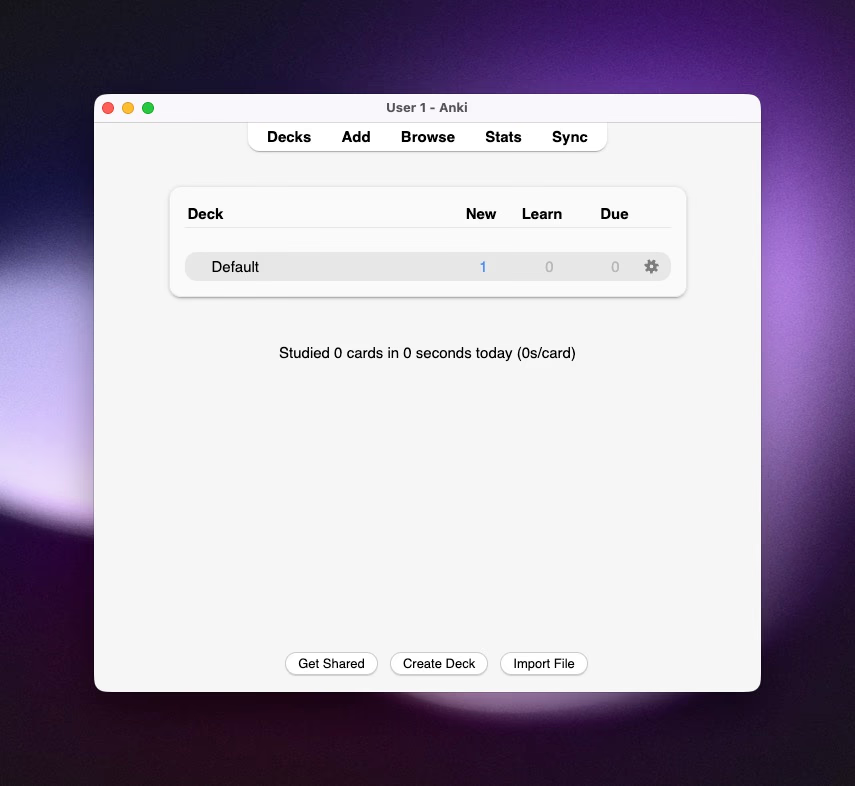
Anki (opens in a new tab) is a free, open-source tool that uses a rigorous spaced repetition algorithm, including the Free Spaced Repetition Scheduler (FSRS). It adjusts review timing based on your recall history.
Its core strengths include:
- Precise scheduling: items you remember appear less often, while forgotten items reappear sooner.
- Support for images, audio, video, and LaTeX.
- Ability to handle very large decks.
- A wide plugin ecosystem for stats, gamification, and customization.
These features create highly efficient, durable retention of atomic facts.
Manual card creation vs. automated note resurfacing
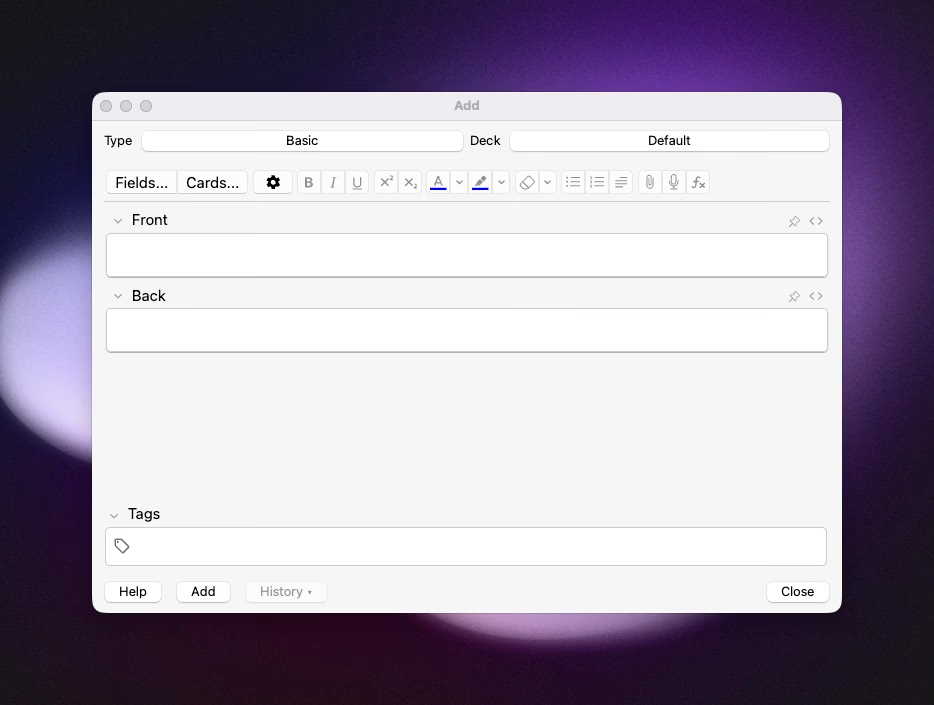
Anki requires you to create every flashcard individually. This gives you tight control, which is important for subjects like medical training or language study. However, you must convert notes and ideas into separate question and answer pairs.
Anki does not resurface whole notes or keep context. It focuses on bite-sized recall, not revisiting long-form thinking or evolving arguments.
Pricing and accessibility
- Desktop and Android versions are free.
- iOS version is a paid one-time purchase.
- Syncing via AnkiWeb is free.
This one-time cost model makes Anki widely accessible.
Reviews and learning curve
Users value Anki for its retention power and customizability (Capterra rating ~4.6/5). The common issues are a steep initial learning curve, a dated interface, and the risk of a backlog if you skip reviews.
Best for and use cases
Anki works best when you need reliable recall of concrete facts. This includes medical exams, dense vocabulary, formulas, and historical dates. It suits deliberate practice rather than managing or evolving a personal knowledge base.
3. Mochi Cards
Key features and modern workflow
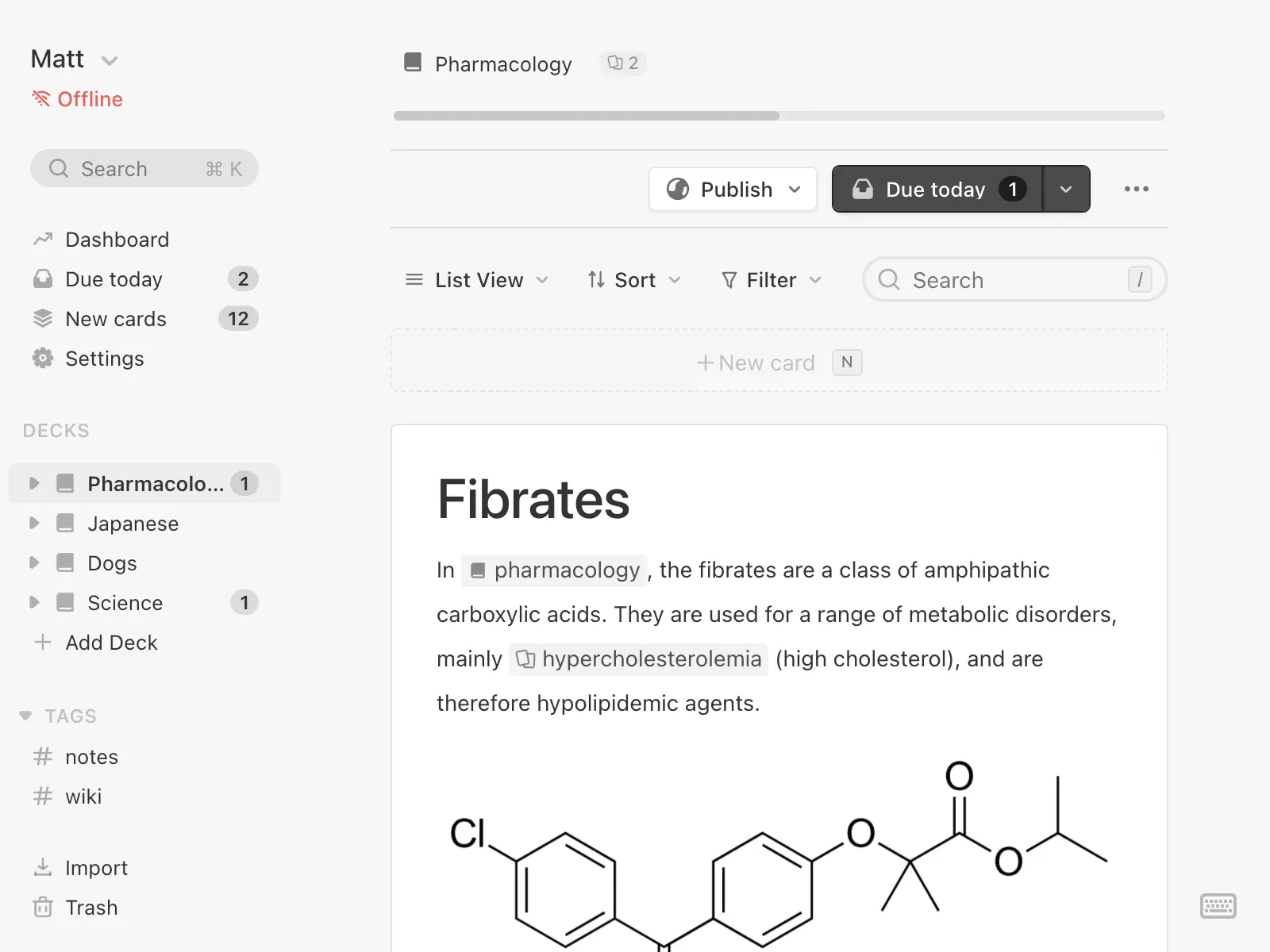
Mochi (opens in a new tab) keeps the spaced repetition basics but modernizes the experience. Its highlights include:
- A clean, keyboard-friendly interface with native Markdown support.
- Image occlusion for diagrams, drawing canvas, and bidirectional linking.
- AI-assisted card generation through its AI integration.
- Simple interval logic: remembered cards have longer intervals; forgotten cards shorten intervals.
Mochi makes card creation and navigation faster and more enjoyable than traditional flashcard tools.
Manual card creation vs. automated note resurfacing
Like Anki, Mochi expects you to create individual cards. The UI speeds up converting notes into cloze deletions, but you still break knowledge into smaller pieces.
Backlinks promote a networked note structure, but Mochi does not automatically bring back full notes for deeper synthesis.
Pricing and accessibility
- Free tier offers core features offline on one device.
- Pro plan costs $5/month and adds cloud sync and mobile access.
Users who prefer offline-first setups and smoother interfaces benefit, though full mobility requires a subscription.
Reviews and user experience
Users like Mochi’s modern interface and lower friction compared to older flashcard apps. Criticisms include:
- Limits on the free tier.
- The manual effort needed for cloze creation at scale.
- Limited features for rescheduling busy decks or collaboration, especially for heavy users.
Best for and use cases
Mochi suits language learners, diagram-heavy subjects, and knowledge workers who want linked notes plus spaced review. It fits those who prefer Markdown workflows and offline-first tools. However, it’s less suitable for learners who rely on large shared decks or want fully automated resurfacing of original notes.
4. Screvi
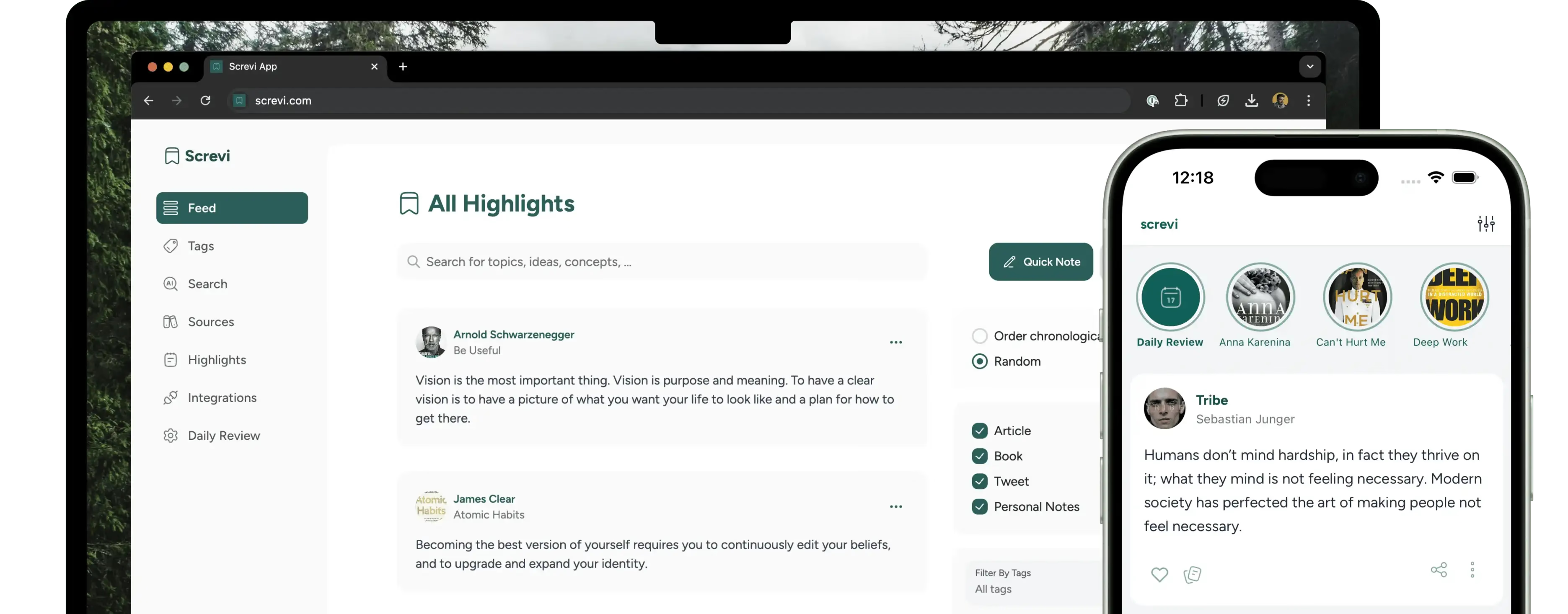
Screvi (opens in a new tab) replaces long lists and static databases with a feed that looks and feels like a social app. Highlights appear as story-like cards you scroll through, making revisiting your notes more inviting and easier to turn into a habit.
Moving from one insight to the next becomes a quick, low-friction process, more like browsing than a chore-driven review. This design encourages serendipitous rediscovery naturally.
Using AI semantic search to organize highlights without complex tagging
Organizing a large collection of highlights is tedious. Screvi’s semantic search removes the need for precise phrases or heavy tagging. You simply search for a concept, and the AI surfaces related notes from your entire library.
This approach saves time and helps you focus on connecting ideas instead of maintaining rigid systems like PARA. For example, if you vaguely recall something about “motivation,” Screvi will bring up relevant passages regardless of the exact wording.
Integrating multiple sources like YouTube, podcasts, and physical books
Screvi consolidates highlights from various sources:
- Kindle and Kobo
- YouTube transcripts
- Podcasts
- Web articles
- Scanned pages from physical books
This makes it easier to link what you read with what you heard or watched. A Chrome extension and background Kindle sync reduce capture friction. Additionally, a built-in reader supports offline access and spaced-review workflows for articles and newsletters.
Screvi targets people whose knowledge mainly comes from consumed content. It offers a visually engaging, intuitive way to collect and revisit highlights across formats. If you want a lively, low-friction alternative to Readwise’s list-based approach, but don’t need resurfacing of your own original notes, Screvi is a strong fit.
The friction of manual flashcards and the path forward
Anki and Mochi excel when deep, precise memorization is the goal. Their main drawback is the manual effort needed to create and maintain cards. This leaves long-form notes, evolving ideas, and whole-paragraph thinking outside the repetition algorithm.
If you want to do more than memorize facts—like keep your ideas active, connected, and reusable—you will notice this gap quickly. You might need a system that applies spaced repetition to full notes and emerging connections without the manual work that even user-friendly flashcard apps require.
Recall and Anchrs: streamlined alternatives to Readwise for students
5. Anchrs: interview preparation with targeted flashcards

Anchrs (opens in a new tab) is now focused on software-engineering interview preparation, with AI DSA and system-design mock interviews, structured debriefs, and targeted follow-up practice. Its flashcards and notes support the interview-prep loop rather than serving as a general-purpose study platform.
Anchrs is free to download on iPhone, iPad, and Mac. Cloud AI features use credits, while the Pro plan is listed at $4.99/month; study data syncs across Apple devices through iCloud.
Its current workflow is best suited to software engineers who want realistic interview reps and focused follow-up, not students looking for a general flashcard app.
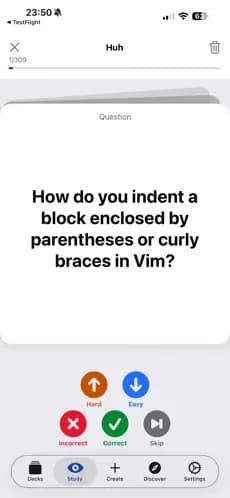
Anchrs works best for software engineers preparing for technical interviews. It is no longer a strong general-purpose alternative for students seeking AI-generated flashcards.
6. Recall: AI autofill and multilingual flashcards for accelerated study
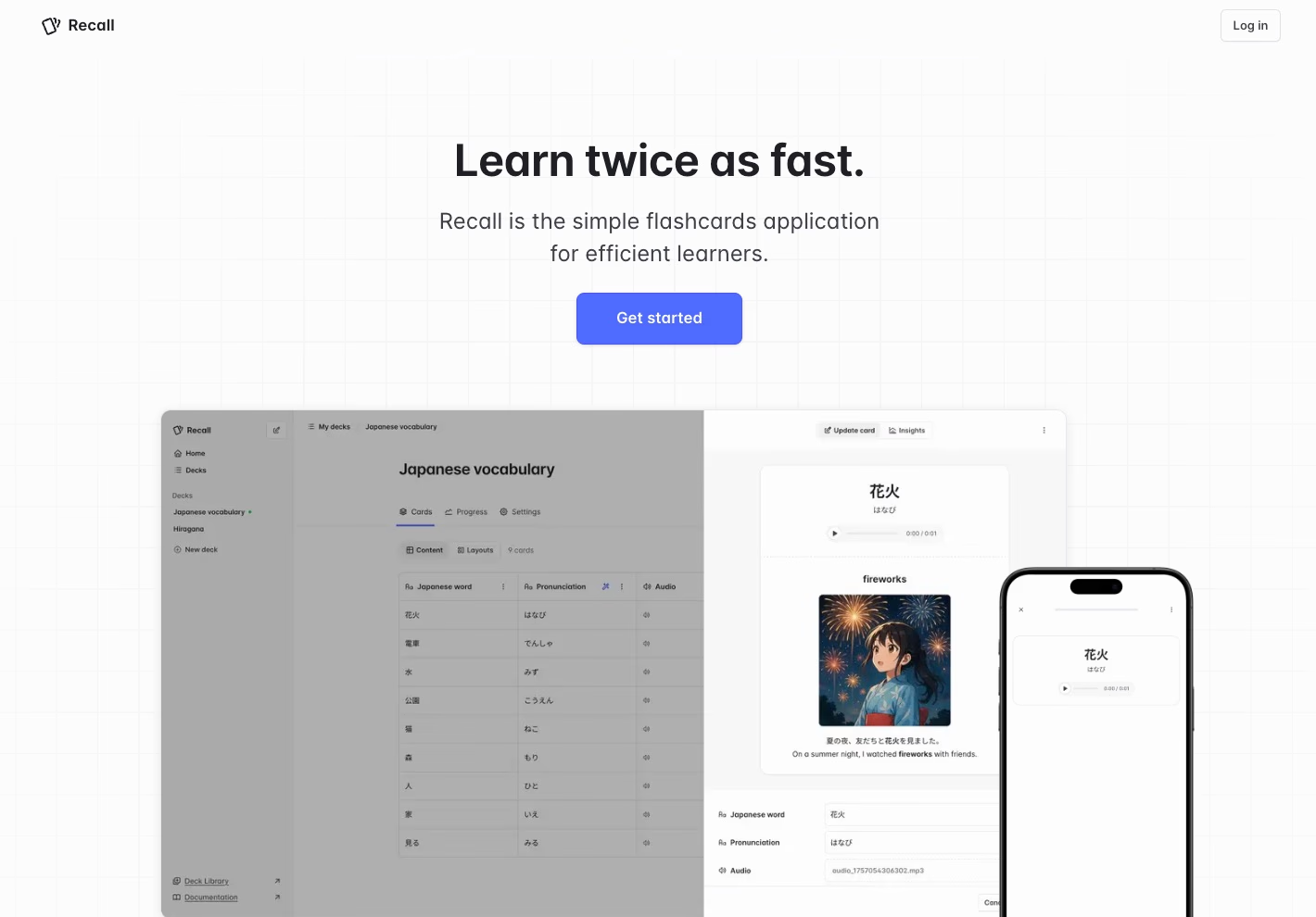
Recall (opens in a new tab) combines manual control with automation to create flexible study cards. You can create cards yourself or use AI Autofill to add answers, translations, audio, pronunciations, and images. Its spaced-repetition engine adjusts review timing for each card.
Recall supports multiple languages natively, helping with vocabulary, scripts, and pronunciation. This allows students to edit cards carefully when needed or use AI for fast generation of multimedia flashcards.
Recall suits language learners who require audio and translations, advanced users who want to customize cards before studying, and anyone who benefits from multimedia formats. It focuses on memorization rather than developing long-form notes.
When to choose Anchrs or Recall instead of deep knowledge management
Choose Recall when you want efficient, deadline-driven learning with quick card creation and reliable review schedules. Choose Anchrs specifically when your deadline is a software-engineering interview. These tools avoid the complexity of “second brain” systems and focus on practical preparation.
If your goal is to interlink notes, revisit original writing, or develop personal ideas, knowledge-reinforcement tools like Daily Brain Bits better suit those needs. Anchrs and Recall offer practical, fast solutions for students who want to learn facts without managing a growing archive.
Choosing the right alternative to Readwise based on your goals
Choose Anki or Recall for exams, language learning, and mastery of hard facts
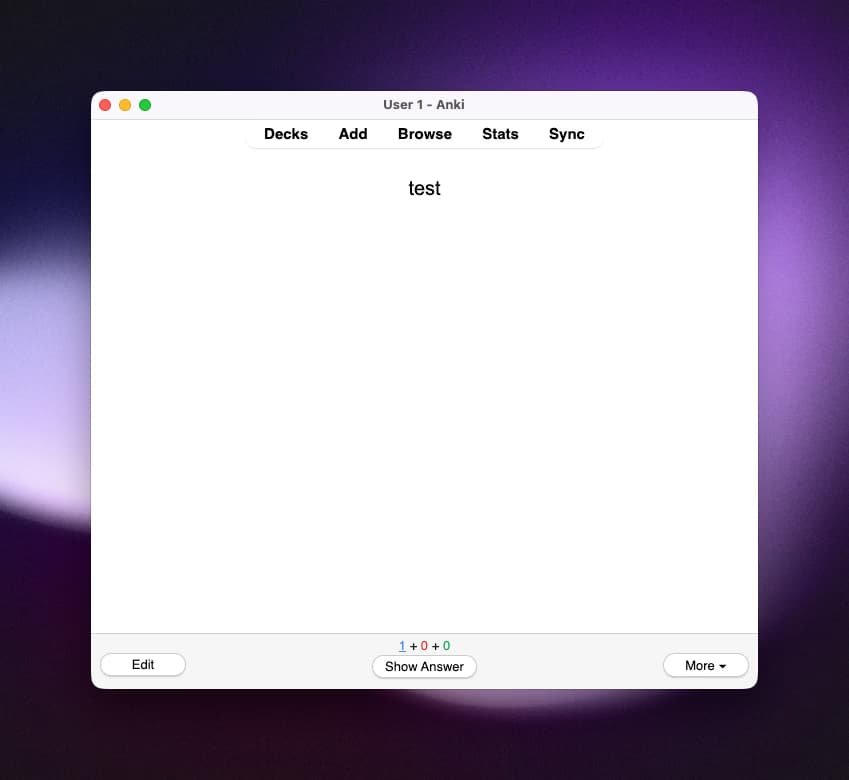
When the goal is pure retention—vocabulary, formulas, medical facts—flashcards remain the top choice. Anki offers extensive control with its mature spaced-repetition engine, including FSRS, rich media support, large decks, and a broad add-on ecosystem. It is free on desktop and Android, with a paid one-time purchase for the official iOS app.
However, setting up and maintaining decks can be time-consuming, and the interface may feel overwhelming initially.
Ideal users include medical students, polyglots, and anyone needing precise, high-volume recall.
If you prefer minimal setup and faster results, consider Recall. It uses AI to reduce card creation effort:
- Recall combines manual control with AI autofill for answers, translations, audio, and images. It suits learners who want to edit or review content before studying, especially with languages.
In short, Anki provides maximum retention and customization, while Recall offers speed and low effort.
Choose Screvi or Readwise to remember what you read
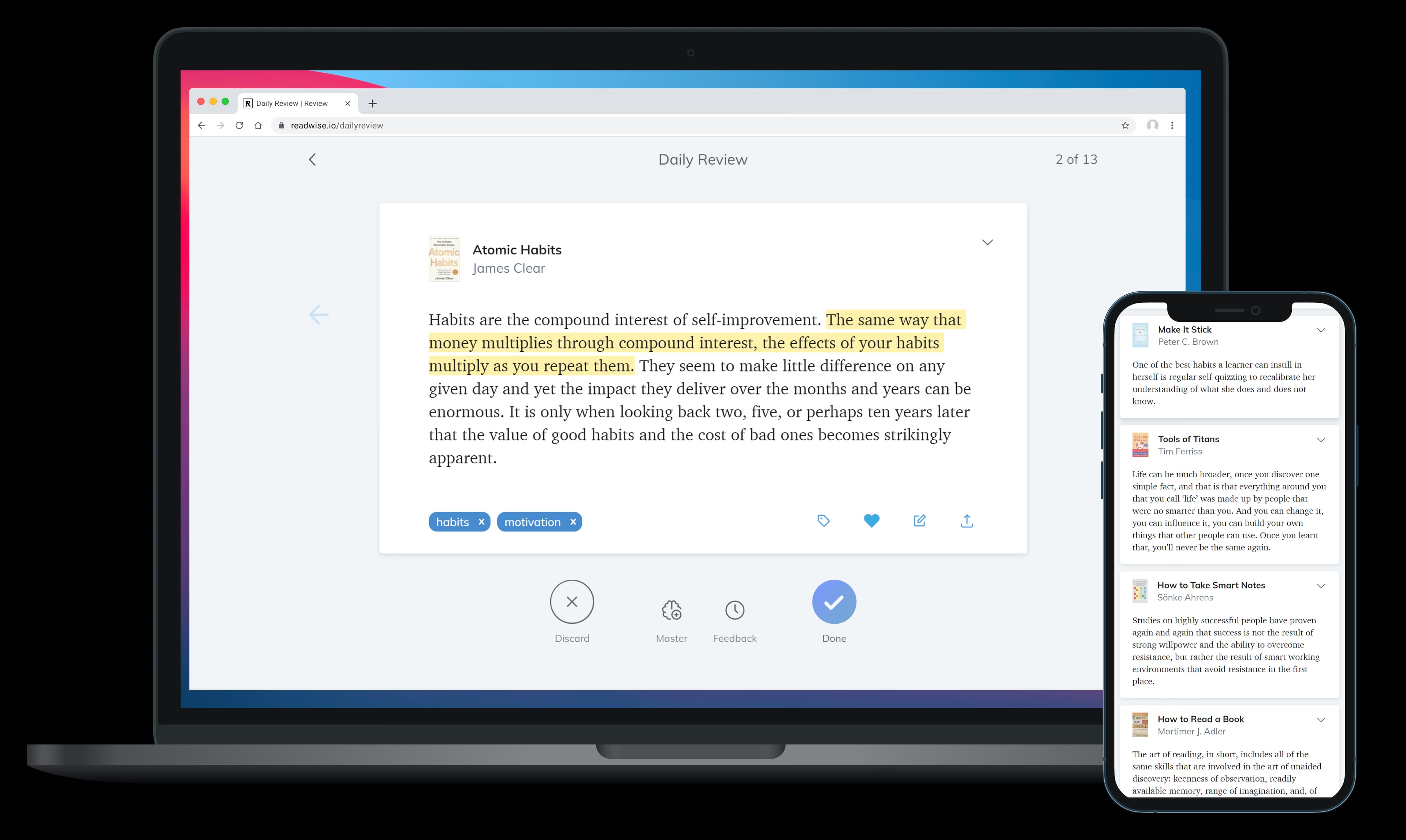
If you want to retain insights from books, articles, podcasts, and essays, reading-highlight managers are the best tools. Readwise collects highlights from Kindle, Instapaper, Pocket, and other sources. Then, it resurfaces these highlights on a schedule to keep key information accessible when needed. It integrates with Notion and Evernote and supports OCR for physical books, making it handy for readers and knowledge workers who extract others’ ideas.
Screvi takes a visual, feed-based approach. Highlights appear as story-like cards you scroll through. Semantic AI search helps find themes without extensive tagging. It pulls data from Kindle, YouTube transcripts, podcasts, and scans of physical pages, turning reading into a more playful and discoverable routine.
Both tools work well for people focused on curated consumption rather than creating original notes. Choose them if you want to regularly revisit and reuse the best parts of what you read or listen to.
Choose Daily Brain Bits to evolve your own notes, thoughts, and knowledge
If you have thousands of notes in Notion or Obsidian that fade from memory, flashcards or highlight managers won’t help. Daily Brain Bits focuses on reinforcing your personal knowledge. It resurfaces whole notes, prioritizes what to review, and encourages remixing and synthesis.
Its key features include:
- Full-context revisits
- Automatic prioritization
- AI-generated quizzes and note prioritization
- Cross-sync with Notion and Obsidian
This tool is best for researchers, writers, consultants, and anyone building a second brain who wants their notes to stay useful instead of forgotten.
Which path is yours?
- For exam-style mastery and dense factual recall, choose Anki (power and customization) or Recall (speed and ease).
- To remember and reuse others’ ideas, use Readwise or Screvi.
- To keep your own notes active and interconnected, rely on Daily Brain Bits.
Select the tool that matches your main activity—memorizing, consuming, or creating—to save time and get more value from your work.
Struggling to recall your important notes?
Check Daily Brain Bits, it helps you remember your notes with daily emails
